
Camp Lingua Waivers & Forms: Complete Guide for Parents
Congratulations on enrolling at Camp Lingua! To ensure your child’s safety and your peace of mind, Florida law and camp regulations require specific waivers and medical forms before any child can participate in our programs.
Required Forms Checklist Before Your Child’s First Day
Step 1: Log Into Your Parent Portal
Click the Enroll button. Our secure Online Enrollment system (powered by CampBrain) will open in a new tab—don’t worry, your browsing won’t be interrupted!
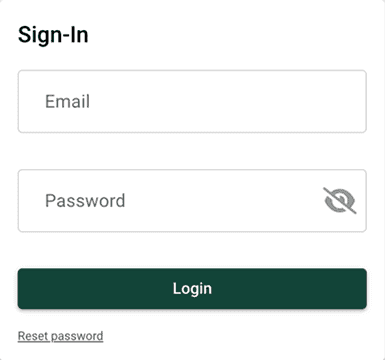
Step 2: Sign In to Your Account
RETURNING FAMILIES: Scroll to the bottom and sign in using
- Email address used during registration
- Your password
Forgot Password? Click “Reset Password” for instant recovery.
Step 3: Navigate to Your Registrations
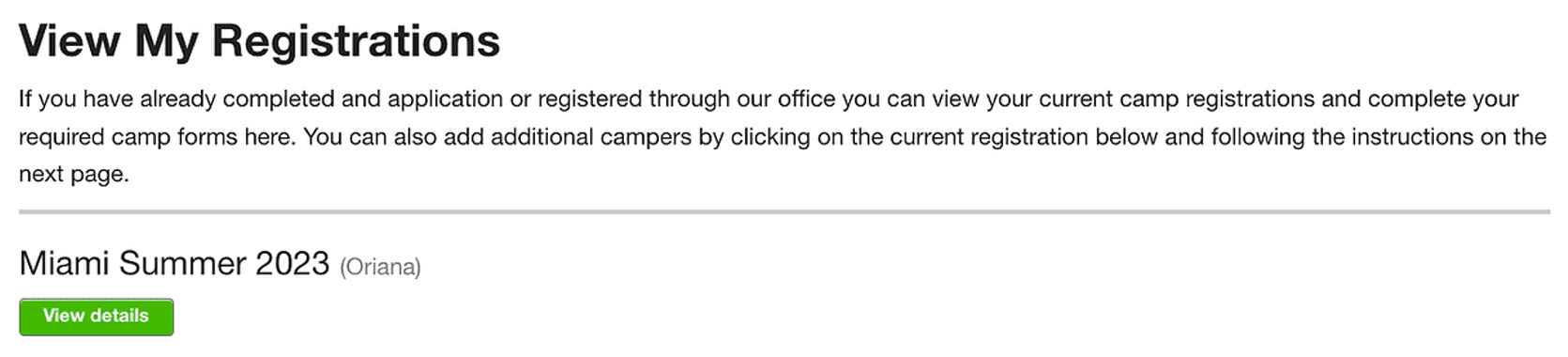
Once logged in, scroll down until you see the “View My Registrations” section.
This displays all your active and upcoming camp enrollments.
Click the “VIEW DETAILS” button for the registration you need to complete forms for.
Step 4: Locate the Forms Section
Once the details page loads, scroll down until you see the Forms section. This list displays all the forms and waivers available to be completed in order to finish the registration process.
Step 5: Complete Each Form
Click on the name of any form to open it in a new page.
Instructions appear at the top of each form explaining what’s needed.
Items marked with a red asterisk (*) are REQUIRED fields—you can’t submit without completing them.
Fill out or initial where indicated. Forms may include:
Instructions appear at the top of each form explaining what’s needed.
Items marked with a red asterisk (*) are REQUIRED fields—you can’t submit without completing them.
Fill out or initial where indicated. Forms may include:
- Text fields (name, address, phone)
- Checkboxes (yes/no questions)
- Digital signatures (type your name)
- Date selectors
The system automatically saves and returns you to the registration summary.
Repeat for all required forms until all show green checkmarks!


If we can assist you with something, please don’t hesitate to contact us:
954.642.2267 | info@camplingua.com | Website Contact Form
954.642.2267 | info@camplingua.com | Website Contact Form